๐ŸชCookie preferences

We use analytics cookies to understand how you use this site and improve it. You can read more in our Privacy Policy.

Push Notifications

Reach your customers on their lock screen โ€” without an app*

Send targeted offers and reminders directly to your customers' phones via their wallet pass. Bring back quiet-period visitors with one tap.

* Push notification preview available on Apple devices. Some platform limitations apply โ€” see details below.

Book a Free DemoAll Features
3ร—
Higher open rate vs email campaigns
0
Extra apps needed โ€” delivered via wallet pass
1
Tap to send to your entire customer base
How It Works

One message. Straight to their pocket.

Push notifications are delivered via your customers' wallet pass โ€” not through a third-party app. That means they land directly on the lock screen, where people actually look.

1

Write your message in the dashboard

Type your offer or reminder in the KN Loyalty dashboard. Choose your audience โ€” all customers, or a specific segment like โ€œhasn't visited in 30 days.โ€

2

Send to your entire list with one click

Hit send and your message is delivered to every eligible customer's lock screen โ€” instantly, with no per-message cost.

3

Customers tap through to their loyalty card

Tapping the notification opens their loyalty card directly โ€” so they can see their current stamps and feel the pull to come in and earn more.
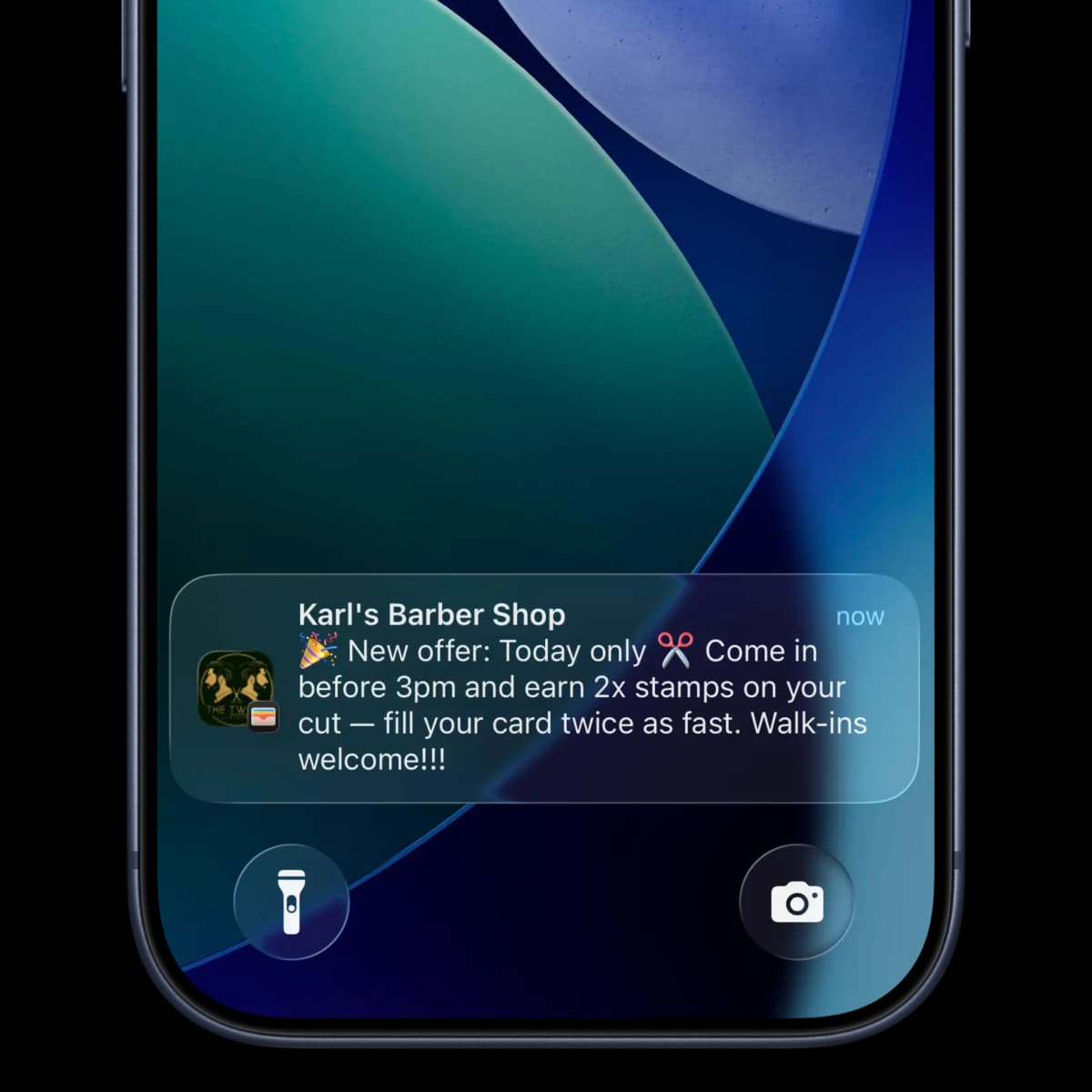
iPhone lock screen showing a push notification from a loyalty card
Use Cases

When to send a push notification

Win back lapsed customers

"We haven't seen you in a while โ€” come back this week and we'll give you a free stamp to get you started again."

Promote a quiet period

"Tuesdays are quieter โ€” double stamps all day tomorrow. 7 of 10 already, you're nearly there!"

Announce a special offer

"This weekend only: buy any cake and get your coffee free. Show this notification in store."

Reward loyalty milestones

"You've visited 25 times! To say thank you, your next visit earns 3 stamps instead of 1."

New product launch

"Our autumn menu is live ๐Ÿ‚ Come and try the pumpkin spice latte โ€” loyalty members get first taste this week."

Seasonal campaigns

"Happy Christmas from all of us ๐ŸŽ„ As a thank you, we're adding a bonus stamp to every loyalty card today."

Platform Limitations

What you need to know*

We believe in full transparency about how push notifications work across different platforms.

๐ŸŽ

Apple Wallet (iPhone)

Full push notification support. Notifications appear on the lock screen with your message, business name and icon. Location-based prompts (appear when near your shop) are also supported on iPhone.

๐Ÿค–

Google Wallet (Android)

Google Wallet passes can be updated, but push notification delivery to the lock screen has more limited support depending on Android version and device manufacturer. We'll walk you through exactly what works on your onboarding call.

See push notifications in your demo

We'll show you exactly how they look on a real device and help you write your first campaign.

Book Your Free Demo Call โ†’